How to Avoid Sharing Your Real Email Address Online

Temp-Mail.app Team
5/6/2026
Your real email address is more than a way to receive messages. It is often connected to your identity, recovery options, purchases, subscriptions, work accounts, and security notifications. Sharing it everywhere makes your inbox easier to spam and your online profile easier to connect across services.
Avoiding unnecessary exposure does not mean hiding from the internet. It means building a simple system: use your real email for important relationships, use aliases for ongoing but lower-trust accounts, use public contact methods when you need to be reachable, and use temporary email only for appropriate low-risk interactions.
At temp-mail.app, we treat temporary email as a privacy, spam protection, online safety, and developer testing tool. It is not a tool for fraud, impersonation, ban evasion, platform abuse, or accounts that require long-term recovery.
This guide shows how to avoid sharing your real email address online while still using the web normally.
Understand what your real email reveals
A primary email address can reveal more than most people expect. It may include your name, company, school, region, or personal domain. Even if the address itself looks neutral, it can become a stable identifier across newsletters, stores, forums, apps, and data broker lists.
When the same address is reused everywhere, it becomes easier to:
- Connect your activity across unrelated websites
- Send more convincing phishing messages
- Target you after a data breach
- Fill your inbox with promotional follow-up
- Make important emails harder to find
The point is not that every website is dangerous. The point is that your real email should be treated as a high-trust address, not a disposable field value.
Build layers around your real address
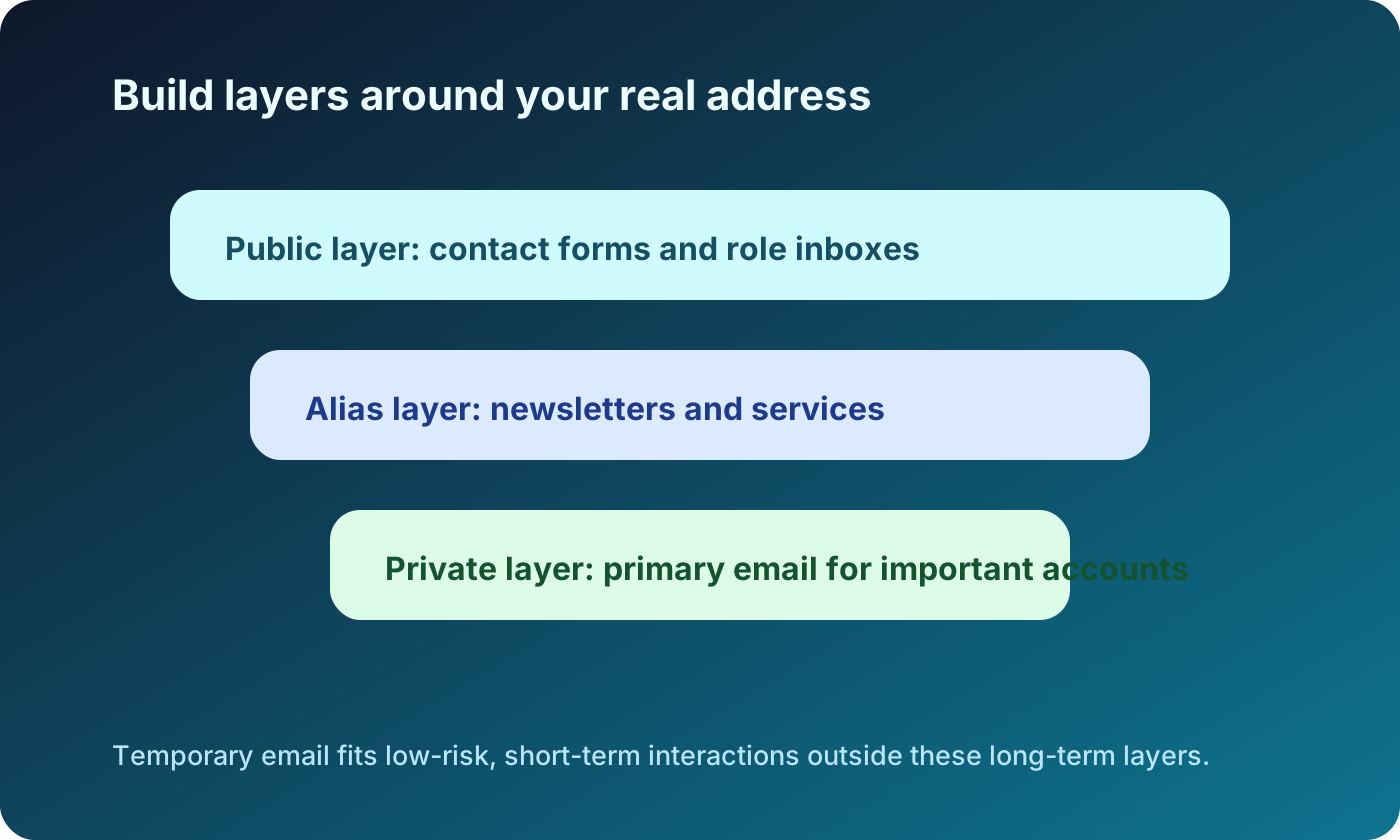
The simplest privacy strategy is layering. Instead of asking whether you should share an email address, ask which address fits the relationship.
A useful structure is:
- Real email for important accounts and recovery
- Shopping inbox for receipts, delivery updates, and warranties
- Newsletter inbox for media, communities, and product updates
- Aliases for services you may keep using but want to track separately
- Temporary email for low-risk, short-lived interactions
This structure lets you participate online without making your primary inbox the target of every campaign, breach, or follow-up sequence.
Use public contact methods instead of a personal address
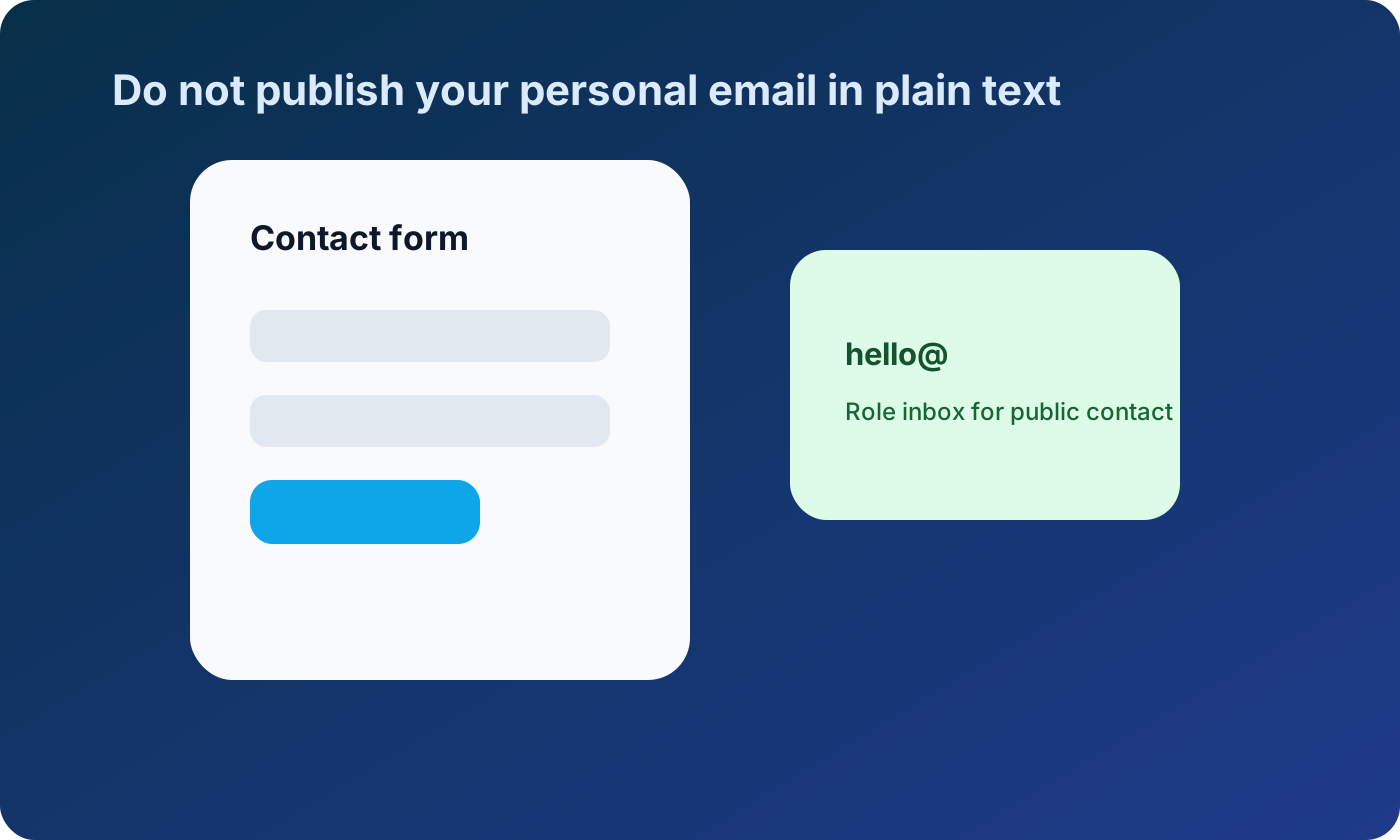
If you run a website, portfolio, open-source project, community page, or small business landing page, do not publish your personal email address in plain text unless you are comfortable with scraping and spam.
Safer options include:
- A contact form with spam protection
- A role-based inbox such as hello@, support@, or press@
- A separate public contact address
- A professional social profile or support channel
- A form that routes messages without exposing the destination address
This is especially important for developers and creators. Email addresses often leak through documentation, repository examples, issue templates, old resumes, and screenshots.
Use aliases to identify noisy senders
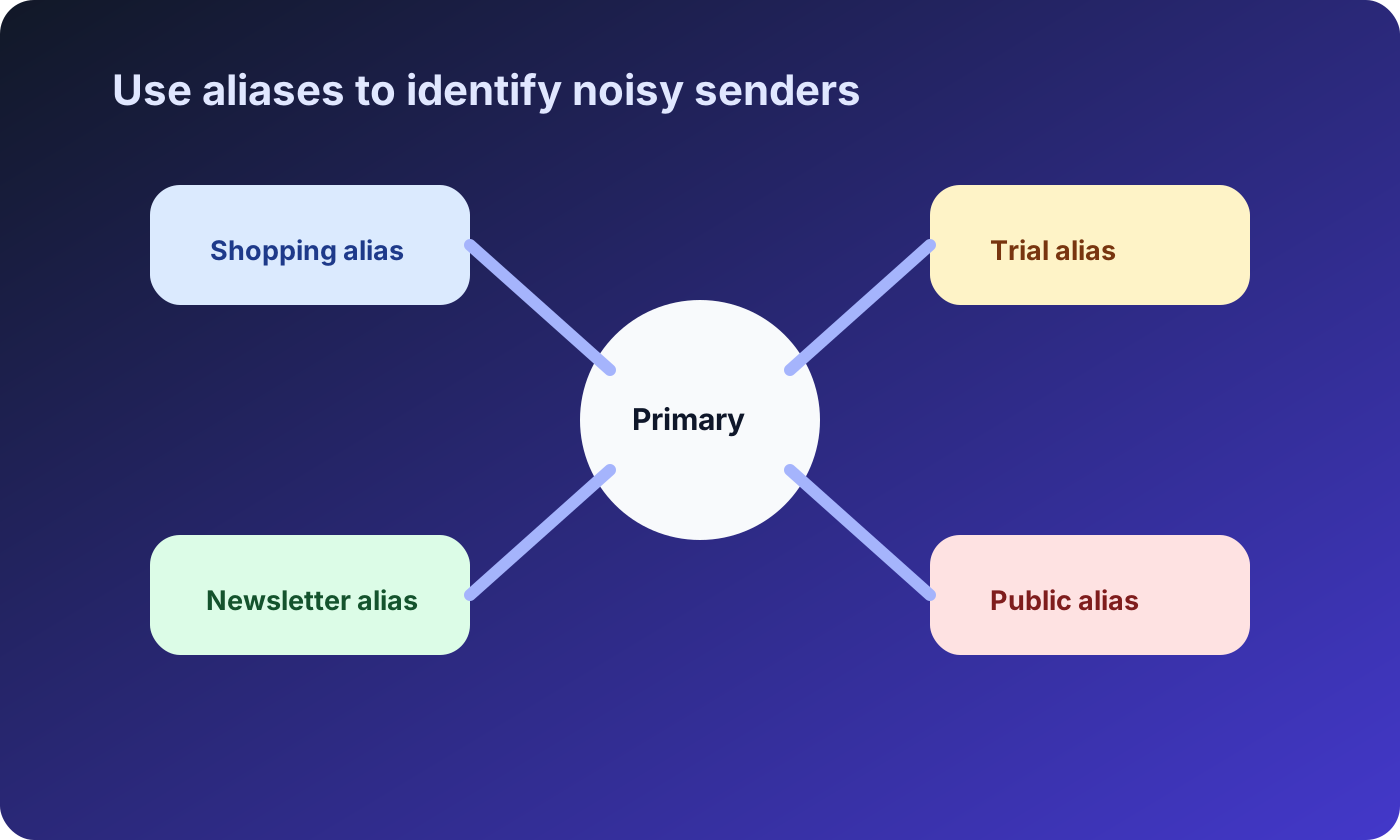
Aliases are one of the most practical ways to protect your real email while keeping long-term access. An alias forwards to your inbox, but the website never sees your primary address.
Aliases work well for:
- Newsletters you may keep reading
- Shopping accounts and receipts
- SaaS trials you may continue using
- Communities and forums
- Public contact or project-specific communication
The benefit is control. If an alias starts receiving unrelated promotions or spam, you can disable or replace that alias without changing your primary email everywhere.
Use temporary email for short-lived, low-risk tasks
Temporary email is useful when you only need a message once and do not need long-term access. It can help you avoid adding your real address to lists that may become noisy later.
Appropriate examples include:
- Testing your own signup, magic-link, or password reset flow
- Evaluating a product before deciding whether to create a real account
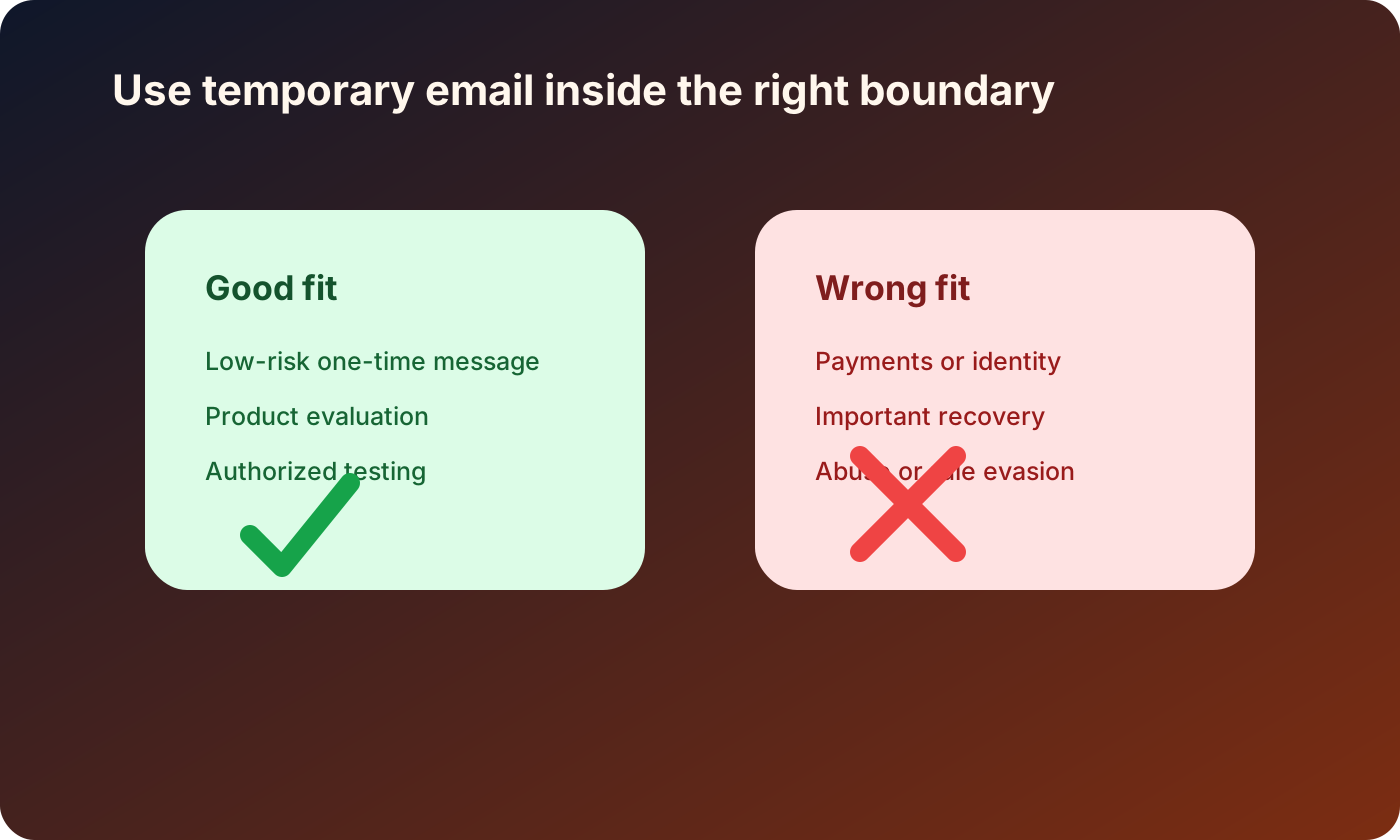
- Receiving a low-risk one-time confirmation
- Separating quick research from your personal inbox
- Checking whether an unfamiliar website sends an email correctly
Temporary email should not be used for banking, healthcare, work, purchases, identity checks, important social accounts, account recovery, fraud, abuse, or rule evasion.
For a safety checklist before signing up, read Best Practices for Signing Up on Unknown Websites.
Avoid giving your email for every download
Many websites ask for an email address before showing a PDF, template, checklist, coupon, or webinar replay. Sometimes that trade is fair. Sometimes it is a lead capture page designed to start a long marketing sequence.
Before sharing your real email, ask:
- Do I want an ongoing relationship with this sender?
- Is the resource valuable enough to justify follow-up emails?
- Can I access similar information without signing up?
- Would an alias or temporary inbox be more appropriate?
- Does the website clearly explain how it will use my address?
If you only need the first message, do not automatically use your primary inbox.
Be careful with social profiles and resumes
People often protect signup forms but expose their real email elsewhere. Public profiles, resumes, portfolio pages, community bios, and speaker pages can all be scraped.
For public identity pages, consider using:
- A professional contact form
- A separate career or business address
- A role-based inbox for projects
- A public alias that can be replaced later
If your real email is already public, you can still reduce future exposure by changing new profiles and routing public messages through a dedicated address.
Keep important accounts stable
Avoiding your real email does not mean avoiding it everywhere. Some accounts need a stable inbox. If the account may involve recovery, receipts, legal obligations, support, or identity, use an email address you will keep.
Use a long-term inbox for:
- Banking, tax, healthcare, and insurance accounts
- Password managers and security services
- Work systems and client communication
- Purchases with warranties or returns
- Accounts tied to your identity
The privacy mistake is not using your real email. The mistake is using it for every casual signup.
Combine email privacy with account security
Email privacy is stronger when your inbox is also secure. A private address can still be dangerous if the account itself is weak.
Use a strong password, store it in a reputable password manager, enable two-factor authentication, review forwarding rules, and keep recovery information current. If your real inbox controls password resets for important accounts, it deserves the same care as a financial account.
A simple decision rule
Before sharing your real email, use this rule:
If the relationship is important, use a stable inbox. If the interaction is temporary, use a lower-trust layer.
That lower-trust layer may be an alias, a separate inbox, a public contact form, or a temporary email address. The right tool depends on whether you need future access.
FAQ
Should I never share my real email address?
No. Your real email is appropriate for important accounts, recovery, purchases, work, healthcare, finance, and services you trust. The goal is to stop using it for every low-value or short-term interaction.
What is the difference between an alias and temporary email?
An alias is better for ongoing relationships because it can forward messages over time. Temporary email is better for low-risk, short-lived interactions where you only need one message and do not need recovery.
Can temporary email protect my real inbox from spam?
Yes, when used for appropriate low-risk interactions. It keeps your primary address away from websites that may send follow-up campaigns or expose data later. It should not be used for important accounts.
What should I use on a public website instead of my personal email?
Use a contact form, role-based inbox, separate public address, or replaceable alias. This reduces scraping and keeps your private inbox away from public pages.
What if my real email is already exposed?
Start reducing future exposure. Move public contact to a separate address, use aliases for new services, strengthen your inbox security, and consider changing the email on important accounts if the old address receives targeted spam.
Disclaimer
This article is for general privacy and online safety education. Temporary email should be used responsibly for legitimate privacy protection, spam reduction, and authorized testing. Do not use it for fraud, abuse, impersonation, evading platform rules, bypassing bans, or creating accounts that require verified identity or long-term access.