How to Create a Safer Email Routine for Work and Personal Accounts

Temp-Mail.app Team
5/15/2026
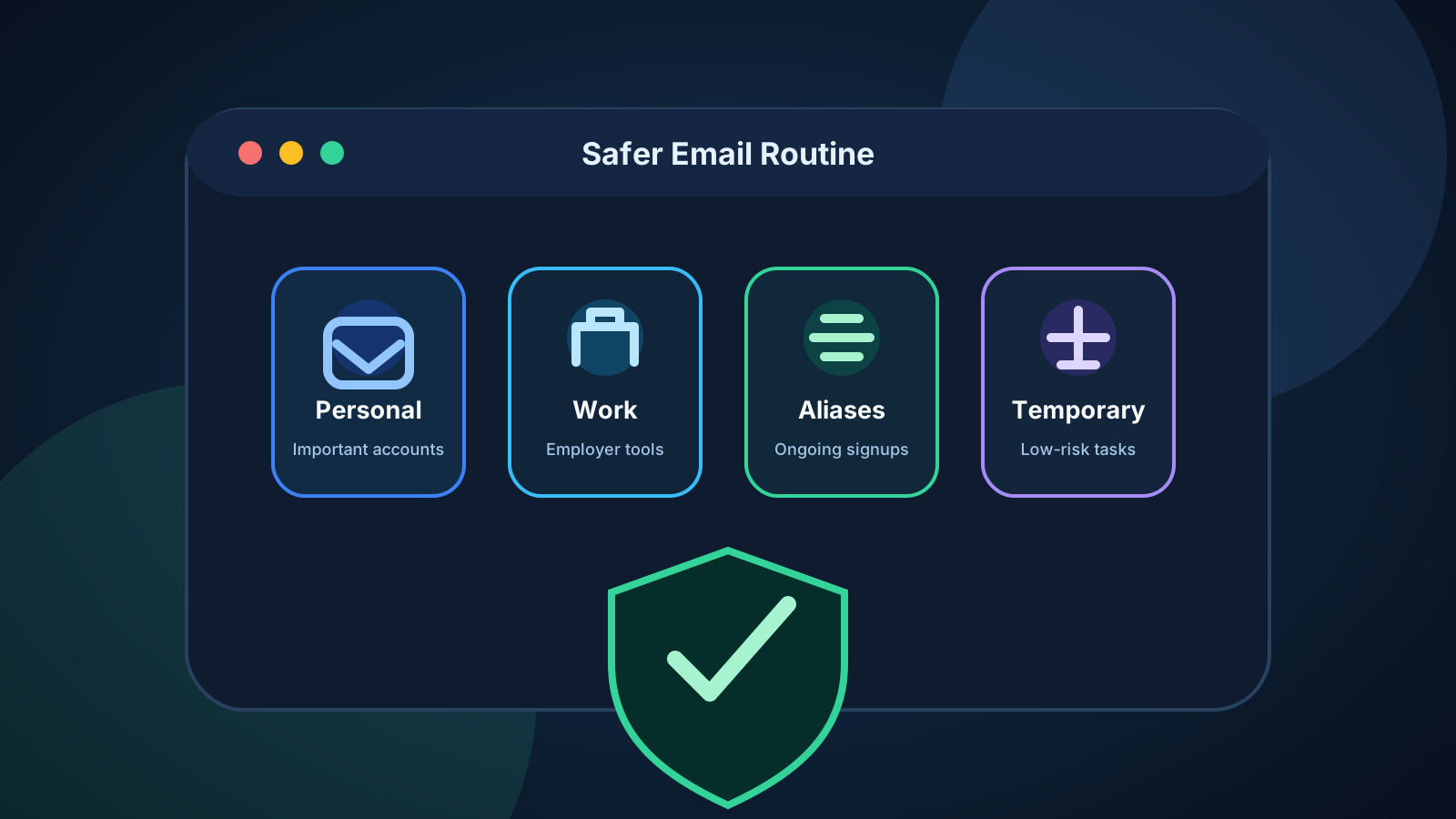
Most people do not plan their email setup. They start with one personal inbox, add a work account later, subscribe to newsletters, create shopping accounts, try new apps, join communities, and use the same address whenever a form asks for one. Over time, one inbox becomes connected to nearly everything.
That creates avoidable risk. A safer email routine does not require advanced security tools or a complicated system. It starts with one simple habit: use the right email address for the right type of account.
At temp-mail.app, we position temporary email as a privacy, spam protection, online safety, and developer testing tool. It is useful for low-risk, short-term interactions, but it should not be used for fraud, impersonation, platform abuse, ban evasion, or accounts that require long-term recovery.
This guide explains how to separate work and personal email, protect important accounts, reduce spam, and use aliases and temporary inboxes responsibly.
Why one inbox for everything creates risk
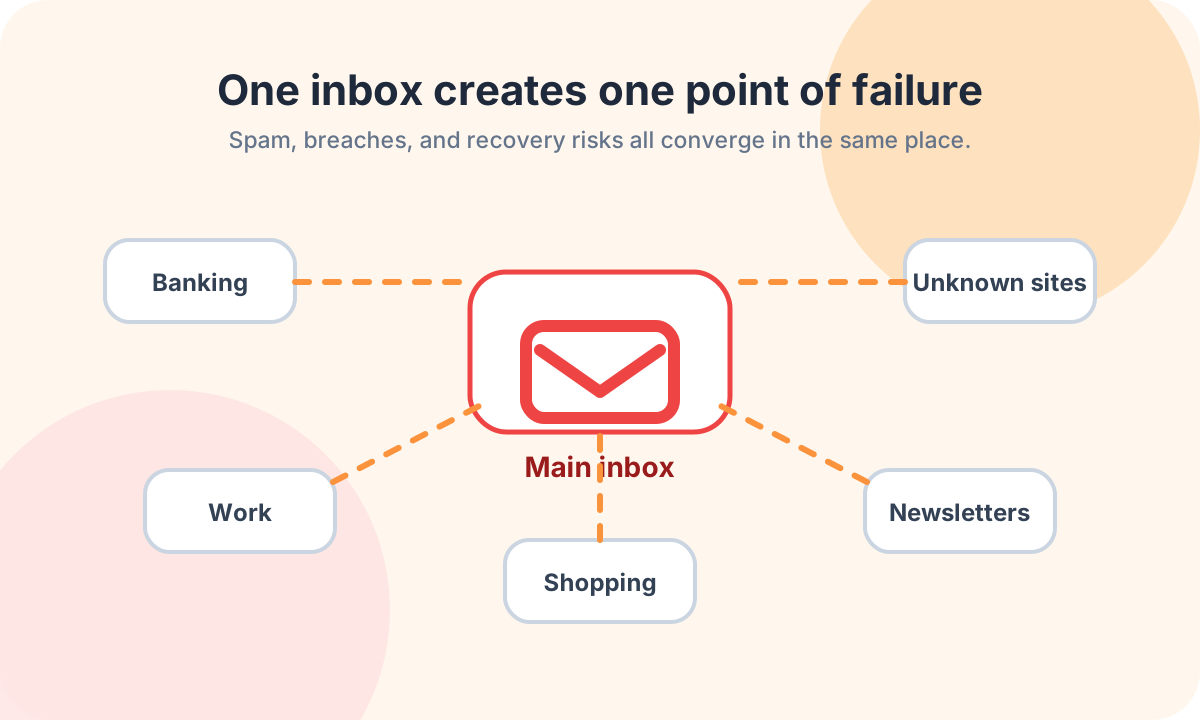
Using one inbox for everything feels convenient at first. The problem is concentration. If that address appears in a data breach, spam list, phishing campaign, or aggressive marketing database, the impact reaches many parts of your life.
A single overused inbox can create several problems:
- Spam from one low-trust signup reaches your main account.
- Data breaches make phishing messages more believable.
- Work and personal identity become mixed together.
- Account recovery becomes harder to manage cleanly.
- Important security alerts get buried under newsletters and promotions.
- Old accounts continue exposing an address you still depend on.
The goal is not to hide from every website. The goal is to avoid giving casual signups the same level of access as your bank, employer, healthcare provider, or password manager.
Separate work and personal email
Work email should be treated as part of your professional identity. It may be subject to employer policies, legal retention, security monitoring, access controls, and offboarding rules. That makes it different from a personal inbox.
Use work email for work-related systems, company-approved tools, client communication, internal services, and team collaboration. Avoid using it for personal shopping, newsletters, forums, coupons, entertainment accounts, personal SaaS trials, or unrelated communities.
The reverse is also important. Do not use your personal email for employer systems unless your workplace specifically requires it. Mixing work and personal accounts can create confusion during password recovery, device changes, audits, or job transitions.
A clean boundary protects both sides. Your employer's systems stay separate from personal activity, and your private inbox does not become tied to workplace access.
Keep your primary personal email private
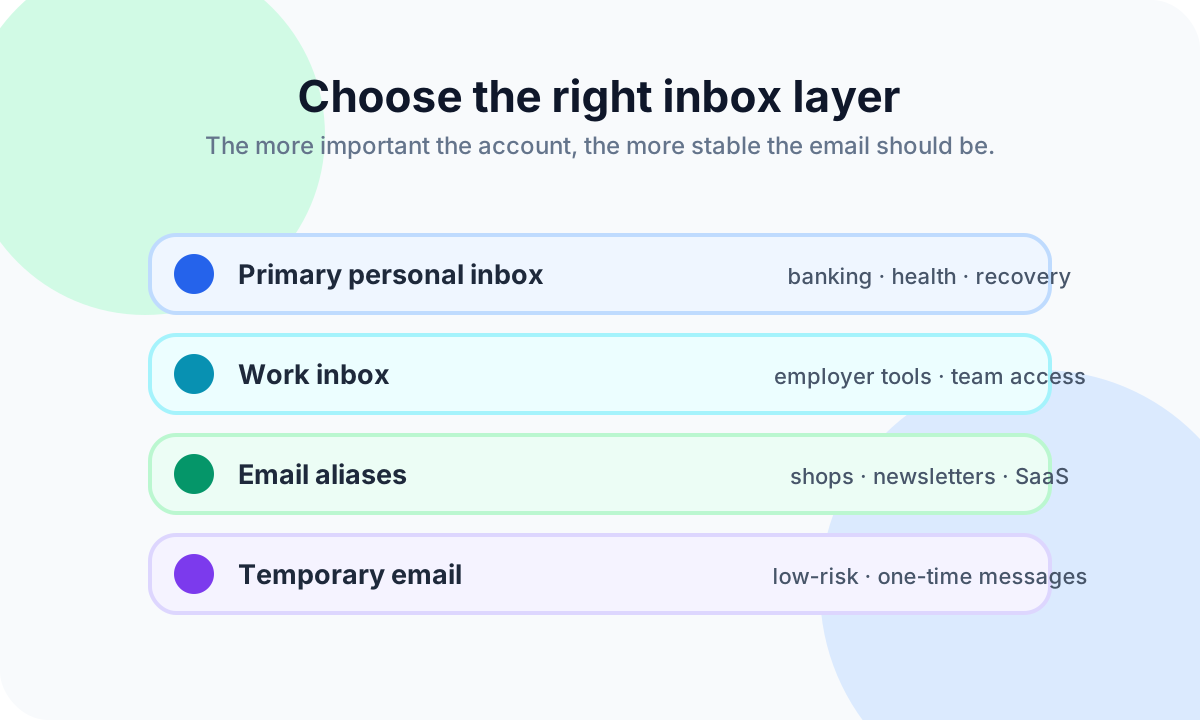
Your primary personal email is often more important than it looks. It may be connected to banking, insurance, healthcare, government services, password managers, cloud storage, payment accounts, and recovery for other services.
Treat that address like a long-term identity address. Use it for accounts where losing access would create a serious problem. Do not use it for every download, coupon, webinar, giveaway, forum, temporary trial, or website you only want to evaluate once.
A good rule is simple: if the account involves money, identity, healthcare, work, legal obligations, family records, or long-term recovery, use an inbox you control and expect to keep. If the interaction is casual or temporary, choose a safer layer instead.
This keeps your most important inbox easier to monitor. Security alerts, password reset messages, receipts, and account notices are much easier to find when they are not mixed with every low-value signup.
Use aliases for ongoing but lower-trust accounts
Email aliases are useful when you want separation without losing continuity. An alias can forward to your real inbox while hiding your primary address from the service. If the alias becomes noisy, you can disable it, replace it, or identify which sender may have shared it.
Aliases are a good fit for:
- Shopping accounts and receipts
- Newsletters you actually read
- SaaS trials you may keep using
- Communities and forums
- Public-facing projects
- Vendor accounts for a business or side project
The key is future access. If you may need receipts, support replies, password resets, invoices, shipping updates, or account history later, an alias is usually better than a temporary inbox.
For a deeper comparison, read Temporary Email vs Email Alias: Which One Should You Use?.
Use temporary email for low-risk, short-term interactions
Temporary email is best when the interaction is short-lived and low-risk. It is useful when you only need to receive a non-sensitive message and do not expect a long-term relationship with the website.
Responsible examples include:
- Receiving a one-time, non-sensitive message
- Evaluating a product before deciding whether to create a lasting account
- Checking whether a website sends a confirmation email
- Keeping low-value downloads away from your personal inbox
- Testing your own signup, verification, or passwordless login flow
Temporary email is not appropriate for work systems, banking, healthcare, government services, purchases, identity-related accounts, legal communication, payment accounts, or anything that may require reliable recovery later.
It is also not a tool for bypassing platform rules, creating abusive accounts, impersonating others, evading bans, or misleading services. If an account might matter tomorrow, do not build it on a temporary inbox today.
For low-risk one-time interactions where a permanent address is unnecessary, temp-mail.app can help reduce exposure of your primary inbox.
Create a recovery email strategy
Account recovery is where many email routines break down. A privacy tool should never make it harder to regain access to an important account.
Important accounts should recover to an inbox you control long term. That includes your primary email, password manager, banking, cloud storage, payment services, work tools, healthcare portals, domain registrar, and any service tied to identity or money.
Strengthen recovery with these habits:
- Use unique passwords for important accounts.
- Enable two-factor authentication where possible.
- Save recovery codes somewhere secure.
- Keep backup email addresses current.
- Avoid using old, abandoned, or disposable addresses for recovery.
- Review active sessions and devices after suspicious alerts.
A temporary inbox can be useful for a short-lived task, but it should never become the recovery path for something valuable.
Review newsletters and noisy senders monthly
Even a well-organized inbox becomes messy if you never maintain it. A monthly review can reduce spam and keep important messages visible.
Start with legitimate senders. If you subscribed to a newsletter or store update and no longer want it, use the unsubscribe option from the sender's real message. For aliases that became too noisy, consider disabling or replacing the alias.
Be more careful with suspicious spam. Do not click unsubscribe links in messages that look like phishing attempts, strange invoices, fake delivery notices, or unknown attachments. Report or block them instead.
For more prevention-focused guidance, read How to Stop Spam Emails Before They Reach Your Inbox.
Protect work accounts from personal spillover
Work accounts deserve extra discipline because they may connect to team data, customer information, internal tools, and company devices. Even if your job is not technical, your work email may be a valuable target.
Avoid registering random third-party tools with your work address unless they are approved for work use. Be careful with browser autofill so personal accounts do not accidentally receive work credentials or work addresses. Avoid forwarding work email to a personal inbox unless your employer explicitly allows it.
Follow your workplace security policy. If you are unsure whether a tool is approved, ask the appropriate internal team rather than making a private workaround.
Build a simple weekly email habit
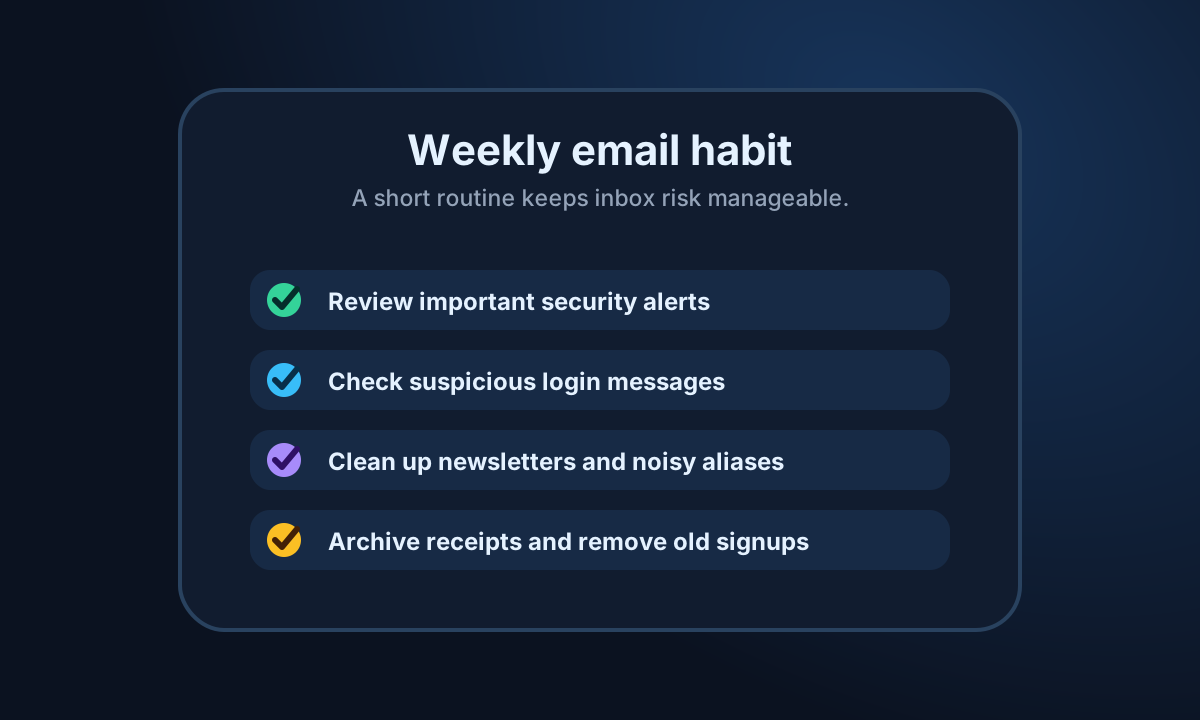
A safe routine works best when it is easy to repeat. You do not need to clean your inbox perfectly. A short weekly review is enough for most people.
Each week, spend a few minutes to:
- Review important security alerts.
- Check suspicious login messages.
- Archive receipts and account notices you may need later.
- Remove newsletters you no longer read.
- Disable aliases that became noisy.
- Delete or update old accounts you no longer use.
- Make sure important messages are not buried in promotions.
This habit keeps your inbox usable and makes unusual activity easier to notice.
A practical email setup example
A simple setup might look like this:
- Primary personal inbox: banking, healthcare, government services, password manager, and recovery accounts
- Work inbox: employer-approved tools, team communication, and company systems
- Shopping alias: stores, receipts, returns, shipping updates, and warranties
- Newsletter alias: publications, product updates, and communities you want to keep reading
- Public contact alias: websites, creator pages, portfolio pages, and public projects
- Temporary inbox: low-risk, short-term messages where no long-term access is needed
This structure gives each type of account the right level of stability. Important accounts stay recoverable. Ongoing but lower-trust accounts stay separated. Short-term interactions do not expose your main inbox.
If your current setup is messy, do not try to fix everything in one day. Start with your most important accounts, then gradually move shopping, newsletters, and low-trust signups into better layers.
FAQ
Should I use one email address for everything?
No. One address for everything is convenient, but it concentrates spam, breach exposure, phishing risk, and recovery problems. A safer setup uses a primary inbox for important accounts, aliases for ongoing lower-trust accounts, and temporary email only for suitable short-term interactions.
Is it safe to use my work email for personal accounts?
Usually no. Work email should be reserved for work-related systems and employer-approved tools. Using it for shopping, newsletters, forums, or personal services can mix professional and private activity and may conflict with workplace policy.
When should I use an email alias?
Use an alias when you want privacy separation but still need future access. Shopping accounts, newsletters, communities, and SaaS trials are common examples. An alias is better than temporary email when you may need receipts, support, password resets, or account history later.
When is temporary email appropriate?
Temporary email is appropriate for low-risk, short-term interactions where you only need a non-sensitive message and do not need long-term recovery. It should not be used for work, finance, healthcare, purchases, identity-related services, or accounts that may matter later.
How often should I clean up my inbox?
A short weekly review works well for most people. Review security alerts, suspicious login messages, old signups, receipts, and newsletters. A deeper monthly review can help remove noisy senders and disable aliases that no longer serve a purpose.
Disclaimer
This article is for general privacy and online safety education. Temporary email should be used responsibly for legitimate privacy protection, spam reduction, and authorized testing. Do not use it for fraud, abuse, impersonation, evading platform rules, bypassing bans, misleading services, or creating accounts that require verified identity or long-term access.